
![ButtChew [3840391]](/images/honors/258/h.png)

![Blinko [3654507]](/images/honors/280/h.png)
![ImSoFoolish [3251350]](/images/honors/1029/h.png)

![evilf9 [997655]](/images/honors/1003/h.png)
First of all, ty for the script, works great.
But could we have an option to change the click destination to your own medical items instead of the faction ones?
Ty once again.
[Script] Blood Bag Reminder (Native Icon)
💉 Never Waste Full Life Again 💉
"Because wasting full Life is like dropping Xanax in the sewer."
Ever forgotten to fill bags because you were too busy mugging, chaining, or plotting world domination?
Does your faction run low on blood bags for ranked wars leading to costly resupplies?
Tired of doing mental math on your Life bar AND medical cooldown just to figure out if you can fill?
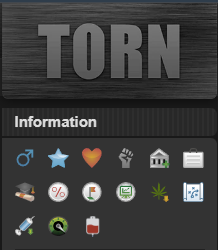
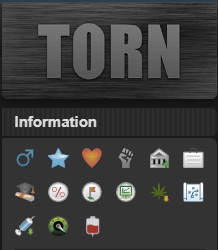
Blood Bag Icon ⇨ Appears in your status bar when you're ready to fill.
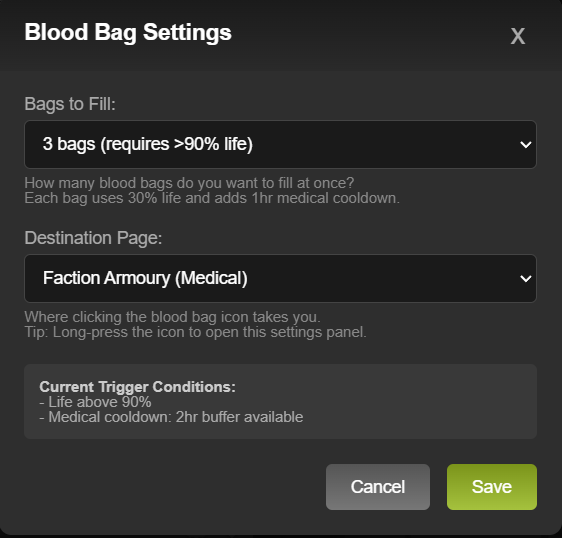
Choose Your Style ⇨ Fill 1, 2, or 3 bags at a time. The script adjusts automatically.
Smart Cooldown Check ⇨ Won't bother you if your medical cooldown is maxed out.
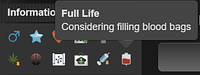
Informative Tooltip ⇨ Hover to see your Life and cooldown status at a glance.
One-Click Navigation ⇨ Click the icon to go straight to Faction Armoury or Personal Inventory.
The icon appears based on your "Bags to Fill" setting:
| Bags | Life Required | Medical Cooldown |
|---|---|---|
| 1 bag | > 30% | Any room available |
| 2 bags | > 60% | > 1hr buffer |
| 3 bags | > 90% | > 2hr buffer |
Each blood bag uses 30% life and adds 1 hour to medical cooldown.
💻 Desktop: Long-press the icon, or Tampermonkey menu → "Blood Bag Settings"
📱 Mobile/TornPDA: Long-press the blood bag icon
✓ Tampermonkey & Violentmonkey
✓ Fully compatible with TornPDA
✓ No API key needed, just install and go
✓ Won't mess with your UI or other scripts

Version 4.3.3 Latest
🛠️ Rebuilt tooltip with self-contained styles, no longer breaks when Torn rotates its CSS class names
🎨 Tooltip restyled to match Torn's native look (background, font, padding, shadow)
📍 Fixed tooltip arrow alignment, now points directly at the blood bag icon
Version 4.3.0
• Option to open in same tab or new tab (default: new tab)
Version 4.2.1
• Configurable bag count (1, 2, or 3)
• Smart medical cooldown detection
• Dynamic thresholds based on your setting
• Improved tooltip with cooldown status
• Fixed TornPDA compatibility
Version 3.4.0
• Mobile/TornPDA compatibility
• Added destination options
• Long-press for settings
Special thanks to those who provided suggestions and input:
Save clicks. Save brain cells. Save your faction from yelling
"WHO FORGOT TO FILL AGAIN?!"
💉 Blood Bag Reminder 💉
Because Life's too short not to monetize your blood.
🩸 Now go fill those bags, vampire.
Works great for when in war and need to get to your already filled blood bags quick! 10/10. Handy and neat!
great!
First of all, ty for the script, works great.
But could we have an option to change the click destination to your own medical items instead of the faction ones?
Ty once again.
Sure thing, I'll look into that.
Version 3.4.0 includes the option to open your personal or faction medical page.
On mobile/TornPDA, long press the blood bag icon to open the settings.
Great script definitely helping to stay on top of filling bags

I have 2 suggestions:
1. Dont scroll down to the item section, most people use torntools (or equivalent) that has quick items at the top of the page
2. Make a check on the medical cooldown. if my health is full, but my med cd cant fit another (3) bloodbag(s), why bother?

Since I never got a response on this request, I've added it myself.
You can find the updated version here: greasyfork
Sorry, I did not see a notification for this.
You are retrieving medical CD from the browsers local session data that is not native to Torn. This will require TornTools (as it's creating the session data DB) and it will probably not be compatible with TornPDA on mobile (un-tested).
DOM scraping isn't pretty, but it's the most compatible.
I will do some testing and update my script accordingly, probably with options to adjust when you'd like to see the icon.
Thank you for the feedback.
EDIT: I tested, and TornPDA does utilize a session storage. I have included your suggestions and some other improvements.
Ngl, i copied that part from another script I'm using, as I couldn't figure it out myself 😅
Interested to see how you'd tackle it.
Script has been updated. Settings now include the option of when to see the icon (settings screenshot added to original post).
Thanks again for the feedback, I made sure to credit you.
Thank you for this. I will never waste full life again. Live life to the fullest, empty your veins right now.
Is there any chance to make it open on the same tab? I tried to check the code lines but noob here xD Ty Great one anyway.
The script I never knew I needed. Great job :)
Yes and no. It originally opened in the same tab/page. Torn has some goofy pagination when on pages like the Armory, with the multiple tabs. Basically if you are in the armory, but not the medical tab, and click the blood bag it breaks the URL. Works fine from other sources though.
I'll add a config option to toggle the new tab option, and set it on to default.
EDIT: Script updated, script manager should pick it up soon.

So you took irl time to think about this... create a concept, write the script, test it out, make this thread... for what?
So someone like me might say "This is nice, thank you"???
Well... THIS IS FREAKIN' AWESOME!!! THANK YOU!
Seriously, a gamechanger. Thanks.

I f****ing love this! Amazing work dude
BUMP


![MFROYALTY [2223622]](/images/honors/311/h.png)
![Mr_Bob [479620]](/images/honors/1229/h.png)

![Yennenga [2246161]](/images/honors/167/h.png)


![Dilrak [3489433]](/images/honors/700/h.png)


![7-eleven [2927678]](/images/honors/204/h.png)

![Fucker [3250340]](/images/honors/1076/h.png)