[DELETED] Titanic's QoL scripts
-
Thread created on 10:27:45 - 21/04/24 (2 years ago)|Last replied 19:32:05 - 21/05/25 (1 year ago)
I've deleted all of these scripts. No they are not coming back.
This is a list of QOL scripts that I've made. Click the script title to install.
If you're on TornPDA (iOS) and any of these scripts aren't working, you'll need to install GMforPDA by Kwack.
---
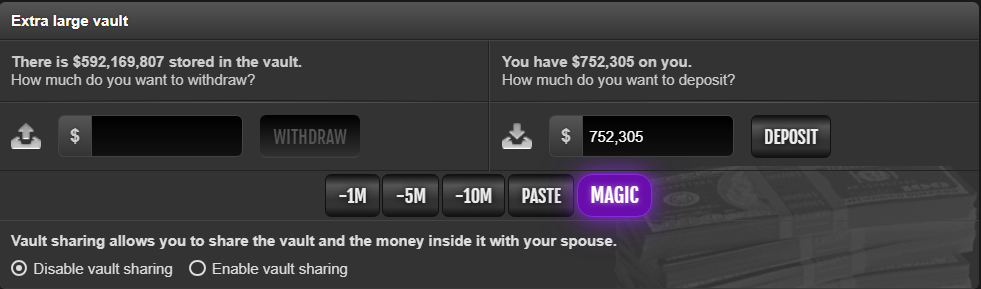
These three scripts add buttons to make withdrawals/deposits easier.
- Ghost Trade Buttons
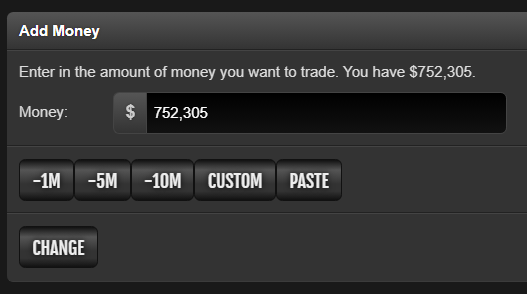
- Vault Withdraw Buttons
Magic button - configure the amount you want to keep on hand at line 12 of the script.
- Company Withdraw Buttons
Magic button - configure the amount you want to keep on hand at line 12 of the script.

---
These three scripts automatically fill the deposit input with the maximum amount you can afford.
- Company - Max $
- Trade - Max $
- Vault - Max $
Optional sound alerts for life bar or money changes (while vault is open).
---
- Museum Set Buttons
Adds buttons for quick access to the market search pages for all museum set plushies and flowers.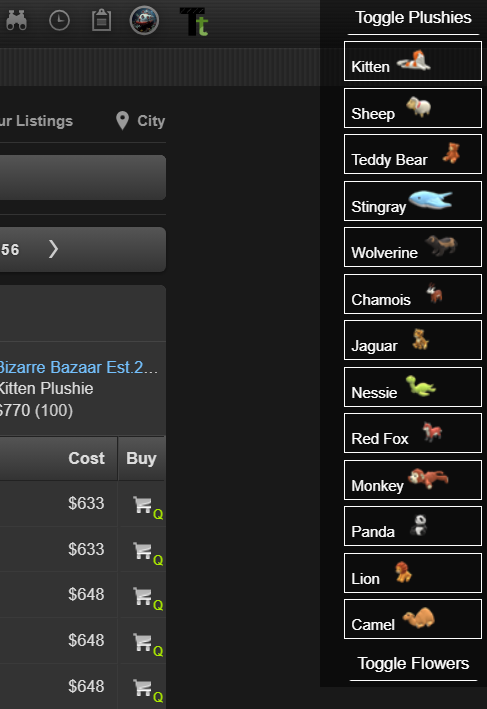
- Profile - Attack Bind
Press ALT+A on a player's profile to go directly to the attack page.
- Gym - Auto Disabler (Doesn't work on mobile)
Prevents over-training a gym by disabling the train button if it would ruin your stat ratios. Requires TornTools. Edit the script to configure desired gyms.

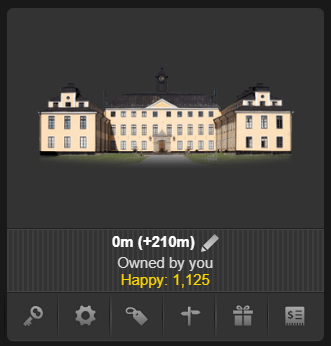
- Properties - Name Editor
Allows you to rename your properties, useful for tracking vault, NPC sell value, rental income, etc.
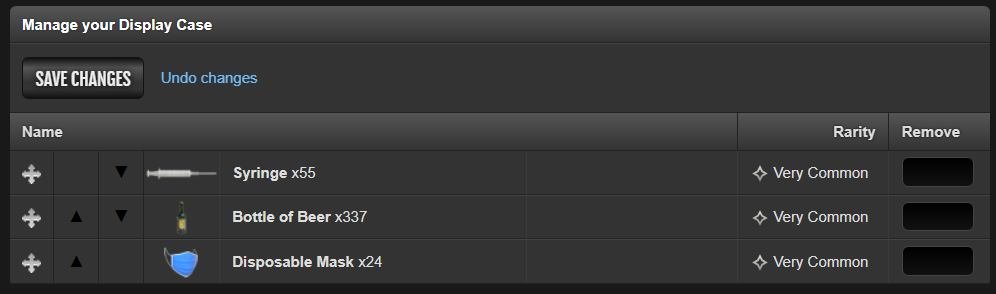
- Display Case - Move to Top/Bottom
Adds buttons to quickly move listings to the top or bottom of your display case.
- Item Market - Remove/Relist All
Adds buttons to remove or relist all items in the item market. Saves item details for easy relisting.
Important: Use the "Remove All" button to save listing data. Before relisting, use the "All" item category and scroll to the bottom to load all items. - OC - Prevent Joining Low % (probably won't work on mobile)
Disables the join button on OCs if you're CPR% is too low.
Last edited by Titanic_ on 09:42:10 - 16/05/25 (1 year ago) -
-
Pinned ResponsePosted on 15:09:03 - 11/11/24 (1 year ago)Post link copied to clipboard Copy post link
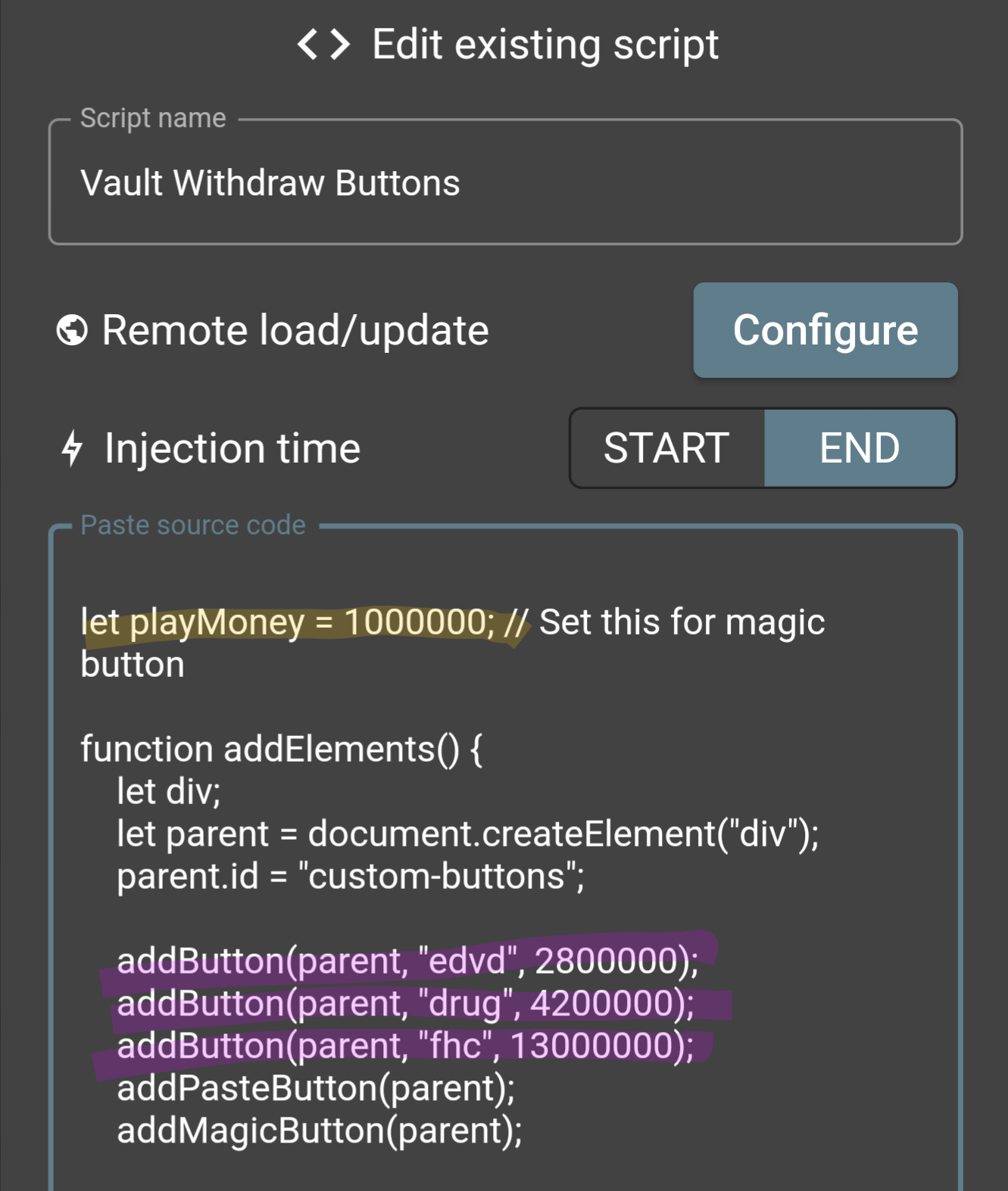
Editing the script to have custom values & names for each button is super easy if you tend to buy certain things.
Example Custom Values with Vault buttons
Yellow is updating the magic button
Purple is updating the vault withdraw buttons
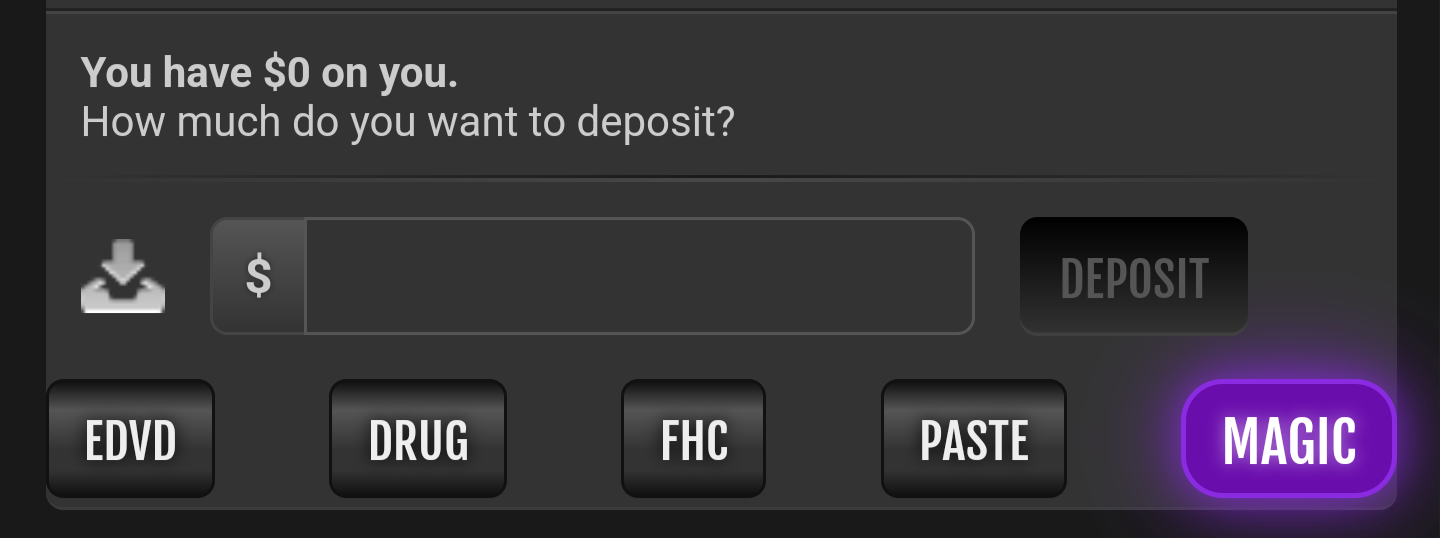
What it looks like after changing the code:
 Last edited by Viciously_Grim on 16:50:31 - 11/11/24 (1 year ago)
 -
-
Posted on 11:50:53 - 26/04/24 (2 years ago)Post link copied to clipboard Copy post linkWorks on PDA, but the - 10 button is out of the screen. If the buttons are added above or below the box we type the amount , then every button will be inside the screen space. That would be a nice addition to PDA tbh.
R+ -
-
Posted on 11:02:34 - 27/04/24 (2 years ago)Post link copied to clipboard Copy post linkPosted an update to hopefully address this, personally can't test it (cloudflare verification loop when I try) so please let me know how it goes.
-
-
Posted on 12:51:28 - 28/04/24 (2 years ago)Post link copied to clipboard Copy post linkAdded, update to version 1.3
-
-
Posted on 14:33:52 - 29/04/24 (2 years ago)Post link copied to clipboard Copy post linkIt doesn't function for me at all, always tells me that it's not a number that's copied

-
-
Posted on 23:03:57 - 01/05/24 (2 years ago)Post link copied to clipboard Copy post linkHmm, doesn’t work on pda for me. iOS.

-
-
Posted on 16:09:32 - 05/05/24 (2 years ago)Post link copied to clipboard Copy post linkFixed in 1.5
-
-
Posted on 16:10:53 - 05/05/24 (2 years ago)Post link copied to clipboard Copy post linkUnfortunately I can't help with this, I use neither PDA nor iOS. Hopefully somebody in the community with better knowledge on this can chip in.
-
-
Posted on 00:17:26 - 08/05/24 (2 years ago)Post link copied to clipboard Copy post linkCan confirm it works properly now. Is it possible for it to subtract the number copied, as compared to just pasting the number copied?
-
-
Posted on 21:48:22 - 13/05/24 (2 years ago)Post link copied to clipboard Copy post linkAdded "Custom" button in version
1.61.61 that subtracts from clipboard, and if there's not a number in clipboard it gives you a prompt to type it in.Last edited by Titanic_ on 04:23:03 - 14/05/24 (2 years ago) -
-
Posted on 00:51:00 - 20/05/24 (2 years ago)Post link copied to clipboard Copy post linkThis has been really handy and I like the update with the 'Custom' button.
If you - or anyone - is interested... One thing I added for myself a "Wheels" button. It subtracts 1,051,000 which is what's needed for the wheels. Just handy.
If anyone's interested in adding this themselves, put it on a new line somewhere between lines 22 and 26 in the code (whereever you put it dictates the order of the buttons). Here's the code to add:
addButton(parent, "wheels", 1051000, false); -
-
Posted on 09:03:48 - 27/05/24 (2 years ago)Post link copied to clipboard Copy post link
I like this script and wonder if it can be expanded to normal PI vault access.
I would like a button whereby, I can configure so tht every time I click or tap on it, there is always a fixed "configurable" amount of cash I wish to keep in hand.
So instead of moving all money to PI Vault and then take out a fixed sum out, I want it all simplified
Explain in picture below.
-
-
Posted on 17:37:53 - 30/05/24 (2 years ago)Post link copied to clipboard Copy post link
Send me a PI so I can access vault page to develop this in

-
-
Posted on 02:55:43 - 31/05/24 (2 years ago)Post link copied to clipboard Copy post link
Ahh.. that is going to be an issue.
As you can't rent PI with vault. As only owners can access the vault.
How?
Last edited by HarryWho on 05:52:50 - 31/05/24 (2 years ago) -

![Titanic_ [2968477]](/images/honors/1104/h.png)


![Viciously_Grim [2752611]](/images/honors/731/h.png)

![Fuckery [2653035]](/images/honors/322/h.png)

![OscarX [3088102]](/images/honors/326/h.png)

![DadGum [3158823]](/images/honors/17/h.png)


![Inferno [3007989]](/images/honors/653/h.png)

![Sectory [2093611]](/images/honors/690/h.png)


![WhackedMaki [2587660]](/images/honors/869/h.png)

![yoyoYossarian [2897328]](/images/honors/65/h.png)
![BypXByp [3243346]](/images/honors/328/h.png)

![HarryWho [196532]](/images/honors/101/h.png)

![Nightrise [1570597]](/images/honors/605/h.png)
