How to use Doctorn extension on Android. | Graveyard | TORN

How to use Doctorn extension on Android.

​

    • Father [2131687]
    • Role: Civilian
    • Level: 81
    • Posts: 1,349
    • Karma: 4,730
    • Last Action: 2 hours
      • 0
    • Reason:
      Are you sure you want to report this post to staff?
      Cancel
    Thread created on 01:52:47 - 22/10/18 (8 years ago)
    |
    Last replied 06:26:59 - 02/04/19 (7 years ago)
     EDIT: Due to some permission issues, Yandex no longer supports DoctorN, however other extensions and Tornplus can be used.

    Torn Plus

    Hello everyone. As you know DoctorN is back among us for now according to Mauk's Post

    Most of us are happy on its return, while some are not that happy as they mostly play on mobile and will have to use Firefox mobile to enjoy the benefits of DoctorN. Anyone who has used mobile Firefox would know that in terms of being slow it can give tough competition to an above average member of TRT. So I am going to share with you a way to use the chrome version of DoctorN on mobile.

    A lot of Torn players play the game through Android. DoctorN is an amazing tool which enhances the gameplay. People like me who primarily play through mobile have to endure the slowness of Firefox to enjoy the perks of this amazing tool.  Now no more we will have to use the laggy Firefox to use DoctorN and other Userscripts on mobile.

    For this you will have to download a browser named Yandex on your android. Yandex browser supports almost all the extensions written for Google Chrome. You can not only use it to  install DoctorN but can also use  other Userscripts by installing Tampermonkey.

    Play store link: Yandex Browser

    After installing the browser open Chrome store and search for DoctorN or just simply use this link.

    Chrome DoctorN

    Note: You will have to open this link in Yandex Browser

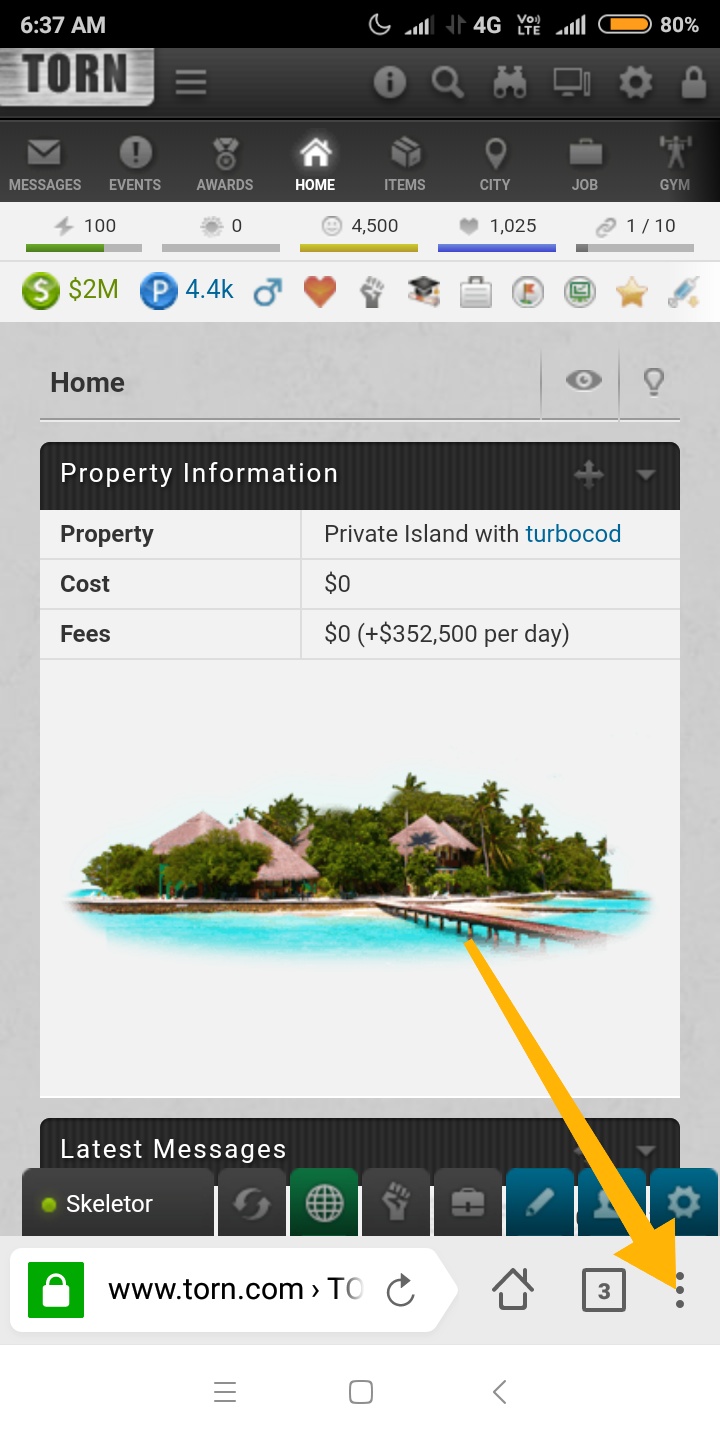
    After having downloaded it follow the steps as shown to open DoctorN settings.


    After that add your API Key and customise the settings according to your wish.

    I have added a few screenshots, to show that it works fine for me.


    Chat highlighter


    Comparing Statistics


    Quick Crimes


    Tampermonkey

    A  quick apology to iPhone users as I don't know if Yandex is available for IOS or not.

    Please share it as much as possible. I have been using this Browser for quite a sometime now. So I have gotten the hang of it. If you have any question feel free to ask me.


    Edit: Mauk just told me that you can access DoctorN options by just clicking on DoctorN logo in any header box. But I am not removing screenshots telling how to open extension settings because it will be helpful if you install any other extension and need to access it's settings.
    Last edited by Father on 06:24:59 - 02/04/19 (7 years ago)
    • Toes [2095421]
    • Role: Civilian
    • Level: 100
    • Posts: 3,215
    • Karma: 7,667
    • Last Action: 1 hour
      • 0
    • Reason:
      Are you sure you want to report this post to staff?
      Cancel
    Posted on 02:09:39 - 22/10/18 (8 years ago)
    Post link copied to clipboard Copy post link
    It just says doctorn will be installed on all desktops u r signed in


    EDIT: Nevermind its working. Thanks
    Last edited by Toes on 02:11:59 - 22/10/18 (8 years ago)

    • Father [2131687]
    • Role: Civilian
    • Level: 81
    • Posts: 1,349
    • Karma: 4,730
    • Last Action: 2 hours
      • 0
    • Reason:
      Are you sure you want to report this post to staff?
      Cancel
    Posted on 02:11:47 - 22/10/18 (8 years ago)
    Post link copied to clipboard Copy post link

    Toes [2095421]

    It just says doctorn will be installed on all desktops u r signed in   EDIT: Nevermind its working. Thanks
    Screenshot please
    • NoUInfinity [2147377]
    • Role: Civilian
    • Level: 36
    • Posts: 570
    • Karma: 459
    • Last Action: 6 years
      • 0
    • Reason:
      Are you sure you want to report this post to staff?
      Cancel
    Posted on 02:32:41 - 22/10/18 (8 years ago)
    Post link copied to clipboard Copy post link
    Nice guide

    I COLLECT FRYING PANS

    • Hemorrhoid [1969864]
    • Role: Civilian
    • Level: 90
    • Posts: 1,254
    • Karma: 1,325
    • Last Action: 1 year
      • 0
    • Reason:
      Are you sure you want to report this post to staff?
      Cancel
    Posted on 03:15:30 - 22/10/18 (8 years ago)
    Post link copied to clipboard Copy post link
    Having issues. Any help appreciated. 

    So i followed the instructions step by step. 

    First downloaded Yandex.

    Then i followed your link to DoctorN from this post. 

    I clicked "add to desktop" since there is no download option. I got this screen anytime i go there now. 


    I then proceeded back to  Yandex. Went to extentions, no DoctorN. Unless the arrow is pointing to it, but that looks sketchy and didnt do anything. (NOTE this differs from your extentions view, all i did was click show all extentions, in case it just wasnt showing on the other page)


    Last edited by Hemorrhoid on 03:15:58 - 22/10/18 (8 years ago)

    • Father [2131687]
    • Role: Civilian
    • Level: 81
    • Posts: 1,349
    • Karma: 4,730
    • Last Action: 2 hours
      • 0
    • Reason:
      Are you sure you want to report this post to staff?
      Cancel
    Posted on 03:21:59 - 22/10/18 (8 years ago)
    Post link copied to clipboard Copy post link

    Hemorrhoid [1969864]

    Having issues. Any help appreciated.  So i followed the instructions step by step.  First downloaded Yandex. Then i followed your link to DoctorN from this post.  I clicked "add to desktop" since there is no download option. I got this screen anytime i go there now.  [img]https://m.imgur.com/gallery/r8RPwwT[/img][img width=1080 height=2220]http://i.imgur.com/r8RPwwT.jpg[/img]   I then proceeded back to  Yandex. Went to extentions, no DoctorN. Unless the arrow is pointing to it, but that looks sketchy and didnt do anything. (NOTE this differs from your extentions view, all i did was click show all extentions, in case it just wasnt showing on the other page)   [img width=1080 height=2220]http://i.imgur.com/KdpJ2iW.jpg[/img]
    You have to open the link to DoctorN in Yandex browser.
    Last edited by Father on 03:24:12 - 22/10/18 (8 years ago)
    • Hemorrhoid [1969864]
    • Role: Civilian
    • Level: 90
    • Posts: 1,254
    • Karma: 1,325
    • Last Action: 1 year
      • 0
    • Reason:
      Are you sure you want to report this post to staff?
      Cancel
    Posted on 03:26:29 - 22/10/18 (8 years ago)
    Post link copied to clipboard Copy post link

    Hemorrhoid [1969864]

    Having issues. Any help appreciated.  So i followed the instructions step by step.  First downloaded Yandex. Then i followed your link to DoctorN from this post.  I clicked "add to desktop" since there is no download option. I got this screen anytime i go there now.  [img]https://m.imgur.com/gallery/r8RPwwT[/img][img width=1080 height=2220]http://i.imgur.com/r8RPwwT.jpg[/img]   I then proceeded back to  Yandex. Went to extentions, no DoctorN. Unless the arrow is pointing to it, but that looks sketchy and didnt do anything. (NOTE this differs from your extentions view, all i did was click show all extentions, in case it just wasnt showing on the other page)   [img width=1080 height=2220]http://i.imgur.com/KdpJ2iW.jpg[/img]

    Father [2131687]

    You have to open the link to DoctorN in Yandex browser.
    Thanks man, im an idiot. Lol. Its working great now!!! R+

    • fuad [2088400]
    • Role: Civilian
    • Level: 93
    • Posts: 727
    • Karma: 249
    • Last Action: 4 hours
      • 0
    • Reason:
      Are you sure you want to report this post to staff?
      Cancel
    Posted on 10:38:33 - 22/10/18 (8 years ago)
    Post link copied to clipboard Copy post link
    thank you so much, and this browser wont make me re login evertime i close it
    • -Grey- [2062714]
    • Role: Civilian
    • Level: 15
    • Posts: 214
    • Karma: 202
    • Last Action: 4 minutes
      • 0
    • Reason:
      Are you sure you want to report this post to staff?
      Cancel
    Posted on 13:37:52 - 17/11/18 (7 years ago)
    Post link copied to clipboard Copy post link
    Hi, i've been able to follow each step so far just like you described but i ran in to some trouble just now.

    I'm trying to add my API key to doctorn but the login button is nowhere to be found on screen. On the PC version it is on the right of the API box, but as you can see on the added screenshot, the API box is partially cut off, and its right side can't be seen..

    I can't move this screen more to the left of right, and i can't zoom further out, although i can zoom in and then back out to the current level.

    Any idea on how to fix this?
    Last edited by -Grey- on 13:42:22 - 17/11/18 (7 years ago)
    • Father [2131687]
    • Role: Civilian
    • Level: 81
    • Posts: 1,349
    • Karma: 4,730
    • Last Action: 2 hours
      • 0
    • Reason:
      Are you sure you want to report this post to staff?
      Cancel
    Posted on 14:16:24 - 17/11/18 (7 years ago)
    Post link copied to clipboard Copy post link

    -Grey- [2062714]

    Hi, i've been able to follow each step so far just like you described but i ran in to some trouble just now. I'm trying to add my API key to doctorn but the login button is nowhere to be found on screen. On the PC version it is on the right of the API box, but as you can see on the added [img]https://torncity/d075kL[/img][url=https://prnt.sc/ljiivm]screenshot[/url], the API box is partially cut off, and its right side can't be seen..[img]https://prnt.sc/ljiivm[/img] I can't move this screen more to the left of right, and i can't zoom further out, although i can zoom in and then back out to the current level. Any idea on how to fix this?
    I am sorry it happens  a lot. you have to open the settings page's full version.


    You will be able to access it.

    Alternatively, you could have done it through Torn preferences. But it's temporarily unavailable due to some bug in DoctorN. So access the full version of DoctorN settings page.

     
    Last edited by Father on 14:27:30 - 17/11/18 (7 years ago)
    • -Grey- [2062714]
    • Role: Civilian
    • Level: 15
    • Posts: 214
    • Karma: 202
    • Last Action: 4 minutes
      • 0
    • Reason:
      Are you sure you want to report this post to staff?
      Cancel
    Posted on 17:28:34 - 17/11/18 (7 years ago)
    Post link copied to clipboard Copy post link
    That works! Thanks man, you rock!
    • bballdaniel3 [1605235]
    • Role: Civilian
    • Level: 100
    • Posts: 613
    • Karma: 328
    • Last Action: 2 hours
      • 0
    • Reason:
      Are you sure you want to report this post to staff?
      Cancel
    Posted on 08:25:17 - 18/11/18 (7 years ago)
    Post link copied to clipboard Copy post link
    Looks like it doesn't support extensions on ios
    • randalus [1306671]
    • Role: Civilian
    • Level: 100
    • Posts: 469
    • Karma: 138
    • Last Action: 38 minutes
      • 0
    • Reason:
      Are you sure you want to report this post to staff?
      Cancel
    Posted on 12:57:40 - 20/11/18 (7 years ago)
    Post link copied to clipboard Copy post link
    DoctorN also works on Mozilla Mobile for Android phones. But can you explain how to add crimes to DoctorN Quick Crimes and items to Quick Items on a mobile phone? Drag and drop does not work (as far as I know)

    • Father [2131687]
    • Role: Civilian
    • Level: 81
    • Posts: 1,349
    • Karma: 4,730
    • Last Action: 2 hours
      • 0
    • Reason:
      Are you sure you want to report this post to staff?
      Cancel
    Posted on 13:12:31 - 20/11/18 (7 years ago)
    Post link copied to clipboard Copy post link

    randalus [1306671]

    DoctorN also works on Mozilla Mobile for Android phones. But can you explain how to add crimes to DoctorN Quick Crimes and items to Quick Items on a mobile phone? Drag and drop does not work (as far as I know)
    If you read carefully I have written that DoctorN is available for Firefox mobile. I have also used it a lot, but I hate the slow speed of Firefox. I have been searching for alternatives and that's how I found Yandex.

    And about quick crimes, well I dragged it. Click on the name (text part rather than the icon)  of the crime and then drag. It's been working fine for me and a lot of other folks.
    Last edited by Father on 13:19:08 - 20/11/18 (7 years ago)
    • fuad [2088400]
    • Role: Civilian
    • Level: 93
    • Posts: 727
    • Karma: 249
    • Last Action: 4 hours
      • 0
    • Reason:
      Are you sure you want to report this post to staff?
      Cancel
    Posted on 13:25:39 - 20/11/18 (7 years ago)
    Post link copied to clipboard Copy post link

    -Grey- [2062714]

    Hi, i've been able to follow each step so far just like you described but i ran in to some trouble just now. I'm trying to add my API key to doctorn but the login button is nowhere to be found on screen. On the PC version it is on the right of the API box, but as you can see on the added [img]https://torncity/d075kL[/img][url=https://prnt.sc/ljiivm]screenshot[/url], the API box is partially cut off, and its right side can't be seen..[img]https://prnt.sc/ljiivm[/img] I can't move this screen more to the left of right, and i can't zoom further out, although i can zoom in and then back out to the current level. Any idea on how to fix this?

    Father [2131687]

    I am sorry it happens  a lot. you have to open the settings page's full version. [img width=720 height=1440]https://i.gyazo.com/1030ad39b2f89b42d5efeefd1d624fcf.jpg[/img]   You will be able to access it. Alternatively, you could have done it through Torn preferences. But it's temporarily unavailable due to some bug in DoctorN. So access the full version of DoctorN settings page.  
    or you can just activate your auto rotate, and use your phone horizontally
    • randalus [1306671]
    • Role: Civilian
    • Level: 100
    • Posts: 469
    • Karma: 138
    • Last Action: 38 minutes
      • 0
    • Reason:
      Are you sure you want to report this post to staff?
      Cancel
    Posted on 14:54:09 - 20/11/18 (7 years ago)
    Post link copied to clipboard Copy post link

    randalus [1306671]

    DoctorN also works on Mozilla Mobile for Android phones. But can you explain how to add crimes to DoctorN Quick Crimes and items to Quick Items on a mobile phone? Drag and drop does not work (as far as I know)

    Father [2131687]

    If you read carefully I have written that DoctorN is available for Firefox mobile. I have also used it a lot, but I hate the slow speed of Firefox. I have been searching for alternatives and that's how I found Yandex. And about quick crimes, well I dragged it. Click on the name (text part rather than the icon)  of the crime and then drag. It's been working fine for me and a lot of other folks.
    fair enough. I overlooked the word "mobile". Sorry for that.

    But anyway: drag and drop seems not to work for me (it used to work because I used quick crimes before I re-installed the app) I cannot seem to drag the crimes anymore. When I touch the area longer, only the text is being marked and when I move the finger, the page scrolls up and down. Also didn't find anything to Change this in the Settings. 

    But if it works for you it seems to be a problem of my version or phone. So thank you for this information. Maybe I will try the browser you mentioned instead.

    • AlwaysALegend [2139661]
    • Role: Civilian
    • Level: 85
    • Posts: 757
    • Karma: 686
    • Last Action: 5 years
      • 0
    • Reason:
      Are you sure you want to report this post to staff?
      Cancel
    Posted on 15:50:37 - 20/11/18 (7 years ago)
    Post link copied to clipboard Copy post link
    This guide is LIT AF!  OMG NAISELY DONE THERE BRO :)

    • Mauk [1494436]
    • Role: Civilian
    • Level: 75
    • Posts: 1,759
    • Karma: 5,335
    • Last Action: 21 hours
      • 0
    • Reason:
      Are you sure you want to report this post to staff?
      Cancel
    Posted on 17:29:50 - 20/11/18 (7 years ago)
    Post link copied to clipboard Copy post link

    randalus [1306671]

    fair enough. I overlooked the word "mobile". Sorry for that. But anyway: drag and drop seems not to work for me (it used to work because I used quick crimes before I re-installed the app) I cannot seem to drag the crimes anymore. When I touch the area longer, only the text is being marked and when I move the finger, the page scrolls up and down. Also didn't find anything to Change this in the Settings.  But if it works for you it seems to be a problem of my version or phone. So thank you for this information. Maybe I will try the browser you mentioned instead.
    Doc doesn't support mobile phones. It expects regular Drag and Drop events and most mobile browsers won't send them -- OP's browser is an exception.
    Last edited by Mauk on 17:30:13 - 20/11/18 (7 years ago)

    MAUK

    • randalus [1306671]
    • Role: Civilian
    • Level: 100
    • Posts: 469
    • Karma: 138
    • Last Action: 38 minutes
      • 0
    • Reason:
      Are you sure you want to report this post to staff?
      Cancel
    Posted on 20:06:06 - 20/11/18 (7 years ago)
    Post link copied to clipboard Copy post link
    Thanks for the information :-). It did work in the past with Mozilla, though. I will use OPs Browser then

    Edit: The Browser is nice but drag and drop did not work.
    Last edited by randalus on 20:20:50 - 20/11/18 (7 years ago)

    • Mauk [1494436]
    • Role: Civilian
    • Level: 75
    • Posts: 1,759
    • Karma: 5,335
    • Last Action: 21 hours
      • 0
    • Reason:
      Are you sure you want to report this post to staff?
      Cancel
    Posted on 22:12:11 - 20/11/18 (7 years ago)
    Post link copied to clipboard Copy post link

    randalus [1306671]

    Thanks for the information :-). It did work in the past with Mozilla, though. I will use OPs Browser then Edit: The Browser is nice but drag and drop did not work.
    Doc didn't use drag and drop in the past. Maybe that's what you remember?

    MAUK

Reply
Thread Title: